7 Best Free Irrigation Design Software Tools (2026)
Free tools for designing garden irrigation compared and scored on the same four-point method: satellite mapping, automatic sprinkler placement, materials lists and the limits of each one.

Full disclosure: how this comparison is built and scored
SprinklerMap, the tool that opens this comparison, is our own product — this site is run by the people who build it. We are not neutral, and we do not pretend to be. What we control instead is the method: every tool below, ours included, is judged against the same four criteria, using only what anyone can verify in a ten-minute trial — not our opinion of how good a competitor's engineering team is. Where SprinklerMap loses points against a competitor, we say so.
The four criteria, worth 10 points total: how the garden shape gets in (manual entry only, up to satellite trace or a GPS walk, up to 3 pts), whether sprinkler placement is automatic and actually checks head-to-head coverage rather than leaving it to you (up to 3 pts), how usable the output is — a real materials list beats a plain diagram, which beats an image file (up to 2 pts), and how much you get without creating an account (up to 2 pts). Each tool's score sits at the end of its own section below, and all seven are lined up in the comparison table further down.
Why it pays to design before you dig
Over the years I have seen enough systems put together "by eye" to say with confidence where they go wrong: almost always in the spacing between one sprinkler and the next. People who skip the design step tend to space pop-up heads 6-7 metres apart because "they throw quite far anyway", and end up with crescent-shaped dry patches where the sprays fail to overlap. The head-to-head rule — every sprinkler must reach the next one — is not a technical nicety: it is the difference between a uniform lawn and a patchy one, and it is nearly impossible to get right by pacing out distances in the garden.
Design software does not replace a site survey, but it forces you to put on paper three things people otherwise tend to improvise: the actual shape of the garden (not an idealised rectangle), the number of zones based on available flow, and a materials list you can check against what you are about to buy. Even the simplest tool, used properly, avoids the most expensive mistake: discovering halfway through digging that you needed two zones instead of one because a 15 L/min meter cannot support eight sprinklers running together.

SprinklerMap: satellite drawing, automatic placement, materials list
Full disclosure upfront: SprinklerMap is our own tool, so weigh it against the others on this list rather than taking our word for it. It works like this: trace the garden perimeter on the satellite map (useful for irregular plots, less so if you already have precise measurements) or enter dimensions by hand, then place sprinklers manually or let the algorithm position them automatically while respecting head-to-head coverage. There is also a GPS mode: walk the garden with your phone on and the perimeter draws itself from your path — handy when the satellite view is blocked by trees or a roof overhang.
It is free and browser-based, no install required. Drawing and GPS mode need no account; automatic placement, soil-absorption simulation and exporting the parts list as a PDF require registration (with a Google or Microsoft account, free, no payment). That is the trade-off we chose to prevent abuse of the functions that consume the most server-side computation — not a commercial decision, there simply is no paid tier sitting above these features.
The honest limitation: unlike Orbit, we do not sell hardware, so there is no "order the parts" button that ships materials to your door — the list you generate has to be bought wherever you prefer (we link reference products via Amazon/AliExpress at the end of articles, but with no obligation). If your goal is an end-to-end flow including purchase from one specific brand, the manufacturer tools below do that better than we do.
On our scale: 9/10 — full marks on input, placement and output, losing one point only because the account requirement gates the features that matter most (automatic placement, the parts list).
Orbit Sprinkler System Designer: the turnkey option if you buy Orbit hardware
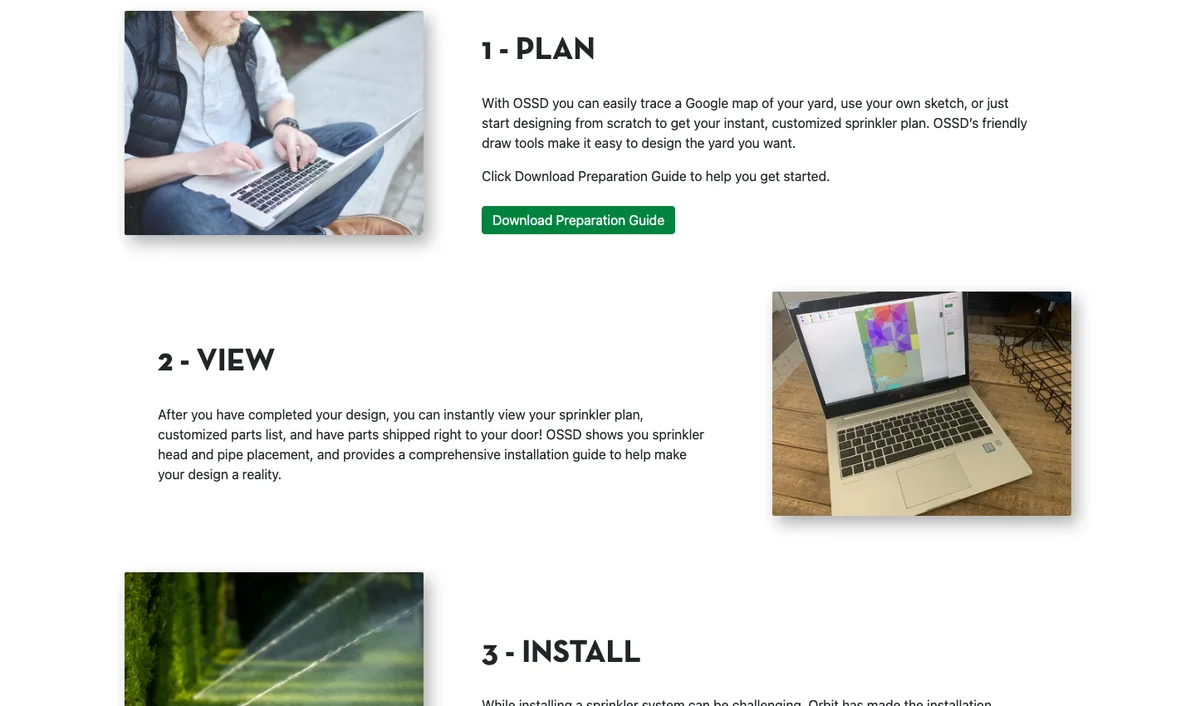
The Orbit Sprinkler System Designer (design.orbitonline.com) lets you trace your garden on Google Maps or draw it from scratch with manual tools, then generates a design with a dedicated parts list. That is its whole strength: at the end of the design you can have Orbit components (including the smart B-hyve controllers) shipped straight to your door, along with an installation guide built specifically for those products. If you have already decided to go all-in on Orbit, this is probably the fastest route from drawing to order without re-doing the maths by hand.
The flip side: it requires registration from the very start (you cannot even try it without signing up) and is built specifically around the Orbit catalogue — if you want to mix Hunter bodies, Rain Bird nozzles and a Rachio controller, you will not find the same integration here. Sprinkler placement stays manual: the drawing tools help, but you decide the final layout, not an automatic coverage algorithm.
On our scale: 5/10 — full marks on input and output (it does ship you real parts), zero on placement and on account friction.
GARDENA Sprinklersystem Planner: the natural fit if you already use Gardena's modular system
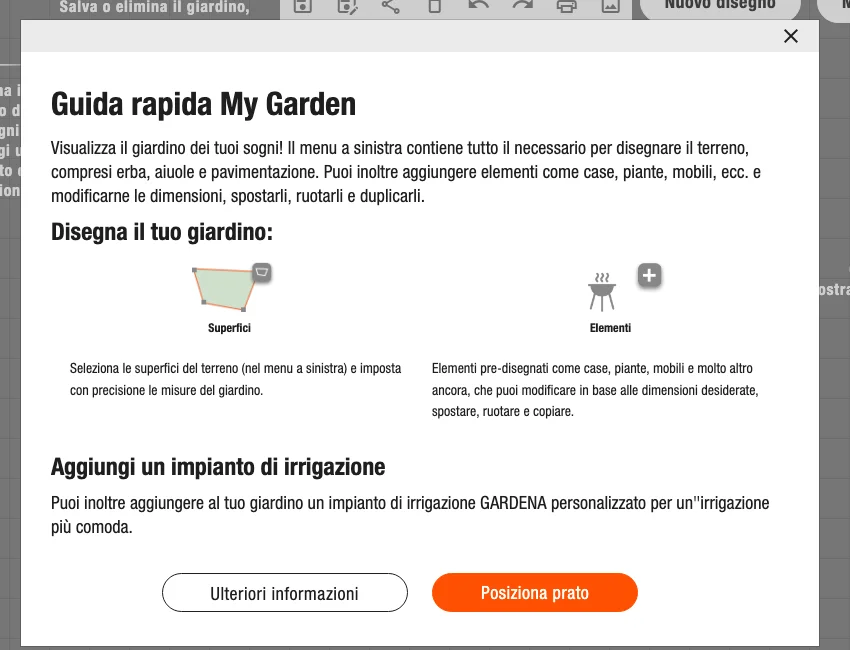
GARDENA's planner (accessible from my-garden.gardena.com) does something none of the other tools on this list does in the same way: it automatically positions both the sprinklers and the buried pipework, based on the logic of the Sprinklersystem — Gardena's set of modular components designed to be assembled without welding or specific adhesives. In five steps you get a downloadable sketch with a complete Gardena parts shopping list.
It is coherent and simple as long as you stay inside the Gardena ecosystem: if you already have pipes and fittings from another manufacturer, or want to mix brands to save on individual components, the planner loses much of its usefulness, because the layout it proposes assumes their quick-connect diameters and steps. I found no reference to a satellite-map tracing function: the garden drawing appears to rely on manually entered shape and measurements, not an aerial survey.
On our scale: 6/10 — full marks on automatic placement and output. We could not confirm whether an account is required to reach the final shopping list, and rather than give the benefit of the doubt, we scored that criterion as if it is — the same rule we apply to ourselves.
DVS Beregnungsplaner: a German vendor tool with a two-decade track record
DVS Beregnungsplaner (dvs-beregnung.de/Garten-Planer, also available in English and French) is run by DVS Beregnung GmbH, a Tübingen-based irrigation company founded in 2012 that says it has planned over 20,000 gardens through the tool. It walks you through a guided, step-by-step flow — draw the area, place the sprinklers, route the pipework — and finishes with automatic length and installation-time calculations plus a materials list, all downloadable as a PDF with no purchase obligation, a point worth crediting since plenty of vendor tools gate the final export behind a cart.
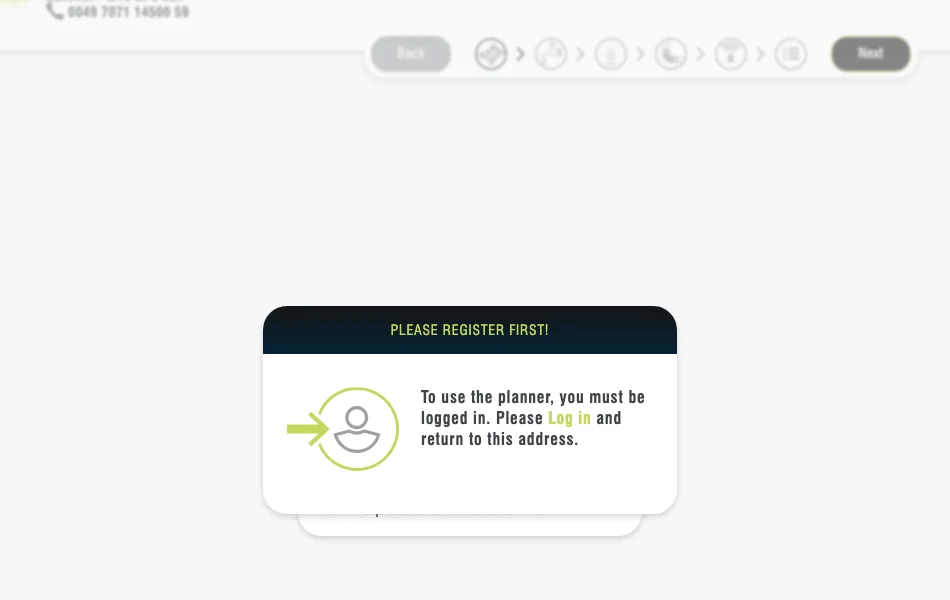
Two honest limits. First, it asks for a simple account before you can use it, and there is no satellite-map tracing — the garden shape is entered by hand, the same limitation as GARDENA's planner. Second, the site leans visibly toward its 'for companies' section, and nothing in the public flow confirms that sprinkler placement is a true head-to-head algorithm rather than a guided manual step, so we are not giving it credit for automatic placement without proof.
On our scale: 4/10 — solid on output, held back by manual input, an unconfirmed placement algorithm and a mandatory account.
MyLawnPlanner: no account, technical-style diagram ready to download
MyLawnPlanner (mylawnplanner.netlify.app) is built entirely around zero friction: no account, no install, no paywall, runs entirely in the browser and — according to the site — saves nothing to an external server. You draw the garden by entering measurements or tracing the shape by hand, position sprinklers by drag-and-drop, and download a PDF diagram with a technical-drawing look, readable even printed in black and white to bring on site.
What it does not do: it does not trace from a satellite map, does not generate a materials list with quantities and prices (just the graphic diagram), and placement stays entirely manual — no algorithm checks head-to-head coverage for you. It works well for anyone who just wants to visualise a layout in a few minutes without leaving an email address anywhere, less well for anyone who wants a starting materials estimate.
On our scale: 4/10 — full marks on account friction, nothing on input, placement or a real materials list.
Areaplane Irrigation Planner: no account, and it ties SprinklerMap on our scale
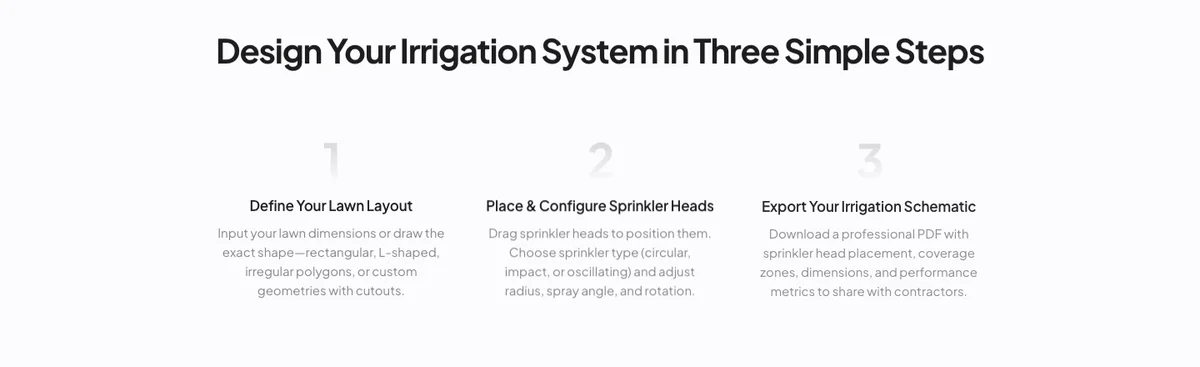
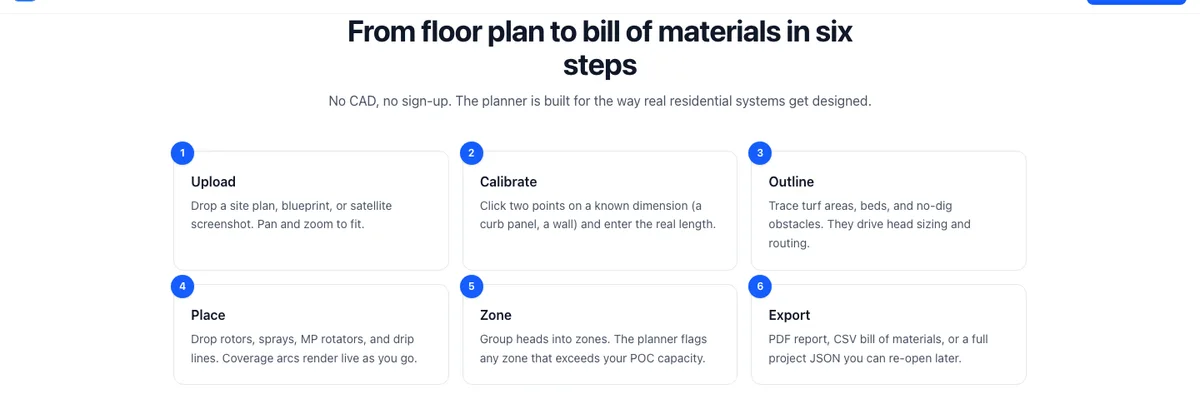
Areaplane Irrigation Planner (areaplane.com/irrigation-planner), built by Lightplane Inc., is the strongest surprise in this update. You upload a site plan or a satellite screenshot, calibrate the scale in two clicks, draw lawn and obstacle areas, and the tool places sprinklers — rotors, sprays, MP Rotators, plus drip lines for beds — on a triangular grid designed to respect head-to-head coverage, then splits everything into zones based on the flow rate you enter. No account, no signup: the site says your project data stays in the browser (IndexedDB) rather than being uploaded anywhere. Export is a multi-page PDF with a materials list, plus CSV and JSON if you want the raw data. It also maps sprinklers to real Rain Bird SKUs (1800-series with VAN nozzles, MP Rotator, 3500/5000 rotors, ET63 drip emitters) — a sign of real irrigation knowledge behind it, not a generic placeholder list.
The catch, stated by the tool itself: it is explicitly labelled beta, carries an 'educational estimate, not a substitute for a professional' disclaimer, and Lightplane is a small, recent outfit with only two other products in its portfolio (both area calculators) — no multi-year track record like Orbit, GARDENA or DVS. Judge the output accordingly, same as you should with ours.
On our scale: 9/10, matching SprinklerMap exactly — it loses points only on input (a manual image upload and calibration step, not a live integrated map picker). The gap between the two of us is not in the score: it is in the years behind the product, which no rubric captures.
Sprinkler System Design Tool: a free-form canvas, no calculations
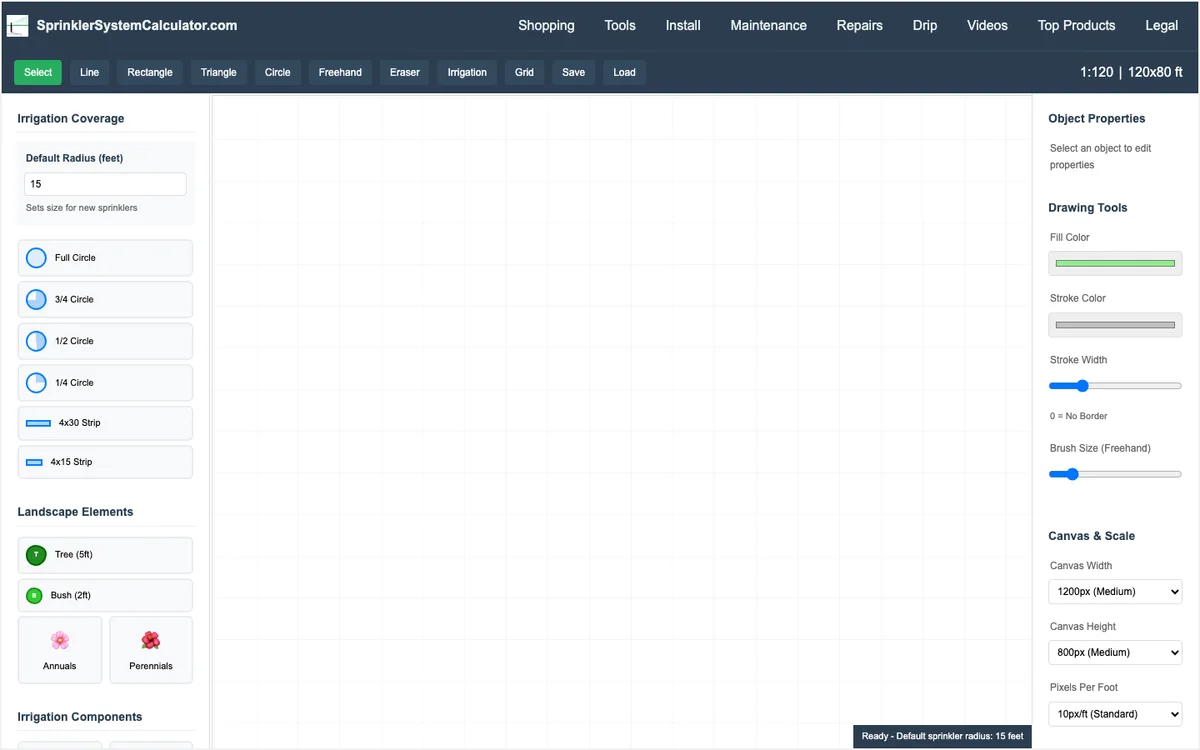
The Sprinkler System Design Tool at sprinklersystemcalculator.com is the barest of the list: a canvas with geometric shapes (line, rectangle, triangle, circle, freehand) and symbols for sector, semicircle or strip sprinklers. No account required, free, and it exports only as a PNG image — no structured PDF, no materials list, no automatic zone calculation.
I find it useful in one specific situation: when you need to sketch a layout idea quickly to discuss with an installer or compare against another design, without the overhead of an account or an algorithm deciding where to put the heads for you. As a complete design tool for a real system, though, it is the most limited of those mentioned here: no coverage verification, no per-zone flow check.
On our scale: 3/10 — the only point above zero for input and account friction; no placement logic, no usable output beyond the image itself.
Free but not really: two tools worth knowing about before you sign up
Two more names came up often enough in our research to deserve a mention — not because they belong in the list above, but because they market themselves as free and are not, in the sense that matters: the core drawing function is capped or paywalled. SmartPluvia (smartpluvia.com) gives you one project, capped at 100 m² of coverage — small for plenty of real gardens — and exports the plan with a watermark; a clean PDF and the AI-assisted extras start at $9/month. IrriPlanner (app.irriplanner.com), aimed explicitly at landscape contractors rather than homeowners, limits the free tier to a single sprinkler type with no valve-box design, and unlocks the rest at €9.90/month.
Neither is a bad product — a capped free tier that funds a real paid tool is a legitimate business model, and we use a version of the same idea ourselves (drawing is free, the heaviest server-side features need a free account). The difference we are flagging is simpler: on this list, 'free' means the core design workflow — draw, place, get a usable output — costs nothing and stays uncapped. On those two, it does not.
Which one to choose for your situation
If the garden has an irregular shape and you want to start from a satellite map or image with the option of letting an algorithm verify head-to-head coverage, SprinklerMap and Areaplane top our scale at 9/10 each — the practical difference is an integrated map picker versus a manual image upload, and years of track record versus a beta label. Orbit and DVS are the turnkey options if you have already decided which hardware brand to buy from; GARDENA sits in between, with automatic placement but tied to its own component system. If you just want to sketch a layout in five minutes without registering anywhere, MyLawnPlanner or the sprinklersystemcalculator.com design tool do the job with no frills, though neither checks coverage or builds a materials list for you.
One piece of practical advice that applies to every one of these tools, ours included: no software knows the real pressure available at your connection point or your garden's soil type — those are two figures that need to be measured on site, not estimated from a drawing. For pressure, the guide is at How to measure water pressure for irrigation; to work out how many zones you actually need based on flow and planting, read Hydrozones: split your garden to irrigate better. A well-drawn design based on the wrong pressure figure still produces a system that does not perform as expected.
| Feature | SprinklerMap | Orbit SSD | GARDENA Planner | DVS Beregnungsplaner | MyLawnPlanner | Areaplane | Design Tool |
|---|---|---|---|---|---|---|---|
| Satellite/aerial input | Yes | Yes | Not clear | No | No | Yes (upload) | No |
| Automatic placement | Yes (with account) | No, manual | Yes | Guided, not confirmed | No, manual | Yes, head-to-head grid | No, manual |
| Materials list | PDF (with account) | Orbit parts order | Gardena shopping list | PDF with calculations | Diagram PDF only | PDF + CSV + JSON | PNG image only |
| Requires account | Advanced features only | Yes, from the start | Not confirmed (scored as yes) | Yes | No | No | No |
| Tied to a hardware brand | No | Yes (Orbit) | Yes (Gardena) | Yes (DVS) | No | No | No |
| Price | Free | Free (sells hardware) | Free (sells hardware) | Free (sells hardware) | Free | Free (beta) | Free |
| Our score (/10) | 9 | 5 | 6 | 4 | 4 | 9 | 3 |
What to measure in the garden before opening any of these tools
Before drawing anything, do a minimal on-site survey: the real perimeter measurements (even just with a 30-metre tape), the position of the connection point and meter, and — if possible — a static pressure reading with an inexpensive gauge screwed onto the outdoor tap. These three figures alone make any software far more useful: a precise-looking drawing based on rough guesswork is still just a rough drawing.
With that information in hand, whichever tool you pick from the ones described above becomes a verification tool rather than an invention tool: you confirm the spacings work, check how many zones you actually need, and take a materials list on site that matches what the ground and the water supply can genuinely deliver.
Frequently asked questions
Is SprinklerMap free to use?
Yes, drawing and GPS mode need no account. Automatic placement, the soil-absorption simulation and exporting the parts list as a PDF require a free Google or Microsoft sign-in — a limit chosen to prevent abuse of the functions that consume the most server-side computation, not a paid tier.
What is SprinklerMap's honest limitation compared to Orbit or GARDENA?
Unlike Orbit or GARDENA, SprinklerMap does not sell hardware, so there is no "order the parts" button that ships materials to your door — the generated list has to be bought wherever you prefer. If you want an end-to-end flow tied to one specific brand's catalogue, the manufacturer tools do that better.
Which of these tools actually checks head-to-head coverage automatically?
SprinklerMap, GARDENA's planner and Areaplane place sprinklers with an algorithm that respects head-to-head spacing. DVS Beregnungsplaner guides you through placement step by step but we could not confirm the underlying logic is a true automatic coverage algorithm, so we score it as manual. Orbit and the two no-account diagram tools (MyLawnPlanner, Sprinkler System Design Tool) leave placement entirely manual, with no automatic coverage check.
Do any of these tools measure my real pressure or soil type for me?
No — that is true of every tool on this list, ours included. Real pressure and soil type have to be measured on site with a gauge and a simple test, not estimated from a drawing. A well-drawn design based on the wrong pressure figure still produces a system that underperforms.
Which of the seven run in the browser with nothing to install?
Four of the seven run entirely in the browser with nothing to install: SprinklerMap, MyLawnPlanner, Areaplane and the sprinklersystemcalculator.com design tool. Of those, only SprinklerMap and Areaplane place the heads for you with head-to-head spacing — the other two give you a canvas and leave the geometry to you. If your test of "free" is also "no account", MyLawnPlanner and Areaplane clear it end to end; SprinklerMap lets you draw and simulate without one but asks for a free sign-in before automatic placement and the PDF export.
Which of the seven works best on a phone?
SprinklerMap is the only one on the list built mobile-first: it runs in a phone browser and has a GPS mode that traces your property line while you walk it, which is the one thing a satellite view cannot do under tree cover. MyLawnPlanner and Areaplane are usable on a tablet but are laid out for a mouse. The vendor tools (Orbit, GARDENA, DVS) are desktop-oriented flows — usable on a phone, awkward on one.
Is any of these irrigation mapping software — can it work from satellite imagery?
Only two of the seven start from a real aerial view of your lot: SprinklerMap traces the perimeter on a satellite map (or from a GPS walk), and Orbit lets you outline the property on Google Maps. GARDENA, DVS, MyLawnPlanner and the sprinklersystemcalculator.com tool all expect you to enter the shape and measurements by hand, which is fine for a rectangle and painful for an irregular lot.
Would any of these hold up on a contractor job?
These are homeowner and small-installer tools, and we would not pitch them as a replacement for contractor-grade software on a commercial job — none of them does full hydraulic calculations across a multi-controller site. For a single residential property, though, the gap has largely closed: automatic head-to-head placement, a coverage simulation and a real parts list are exactly what a residential design needs, and four of the seven now do all three for free.
How did you score each tool, and can I check it myself?
Every tool is scored out of 10 on four criteria, explained in full at the start of the article: garden input method (up to 3 points), automatic head-to-head placement (up to 3), usable output such as a real materials list (up to 2), and how much you get without creating an account (up to 2). All four are things you can verify yourself in the same ten-minute trial we used — nothing in the score depends on our opinion of the underlying code.
Recommended products
These product links are affiliate links: if you buy on Amazon or AliExpress through them it costs you nothing extra, but it helps us keep SprinklerMap alive as a project and create new useful content.
| Product | Description | Price (€) | Buy |
|---|---|---|---|
| 30 m tape measure with case | Fibreglass tape measure, 30 metres, for taking real garden measurements before drawing up a design. Reinforced case, ground anchor hook. | ~€£12-20 | Amazon |
| Glycerine pressure gauge 0-10 bar, 1/4" fitting | Glycerine-filled gauge for measuring static pressure at the connection point before trusting the software drawing. Stable reading, 0-10 bar scale. | ~€£8-15 | Amazon |
| Garden marking stakes with string | Set of steel stakes with high-visibility yellow string, useful for marking out on the ground the hydrozone boundaries drawn on the computer before digging. | ~€£10-18 | Amazon |
| Site protractor/angle finder for sector angles | Base-mounted protractor for checking on site the real sector angle of a rotor sprinkler against what was drawn in the software design. | ~€£9-16 | Amazon |
| Product | Description | Price (€) | Buy |
|---|---|---|---|
| Pocket laser distance meter, 40 m | Laser meter to survey garden sides and distances single-handed, no second person on the tape. Accuracy is more than enough for the design. | ~€15-35 | AliExpress |
| Garden marking flags | Coloured flag set to mark head positions and trench routes before digging: the fastest way to sanity-check the design on site. | ~€6-15 | AliExpress |
Technical note: The comparison between the software tools described in this article is based on the features available in the versions tested at the time of writing: interfaces, pricing plans and features can change with future updates. The calculation results of any irrigation design software also depend on the accuracy of the data you enter — garden measurements, actual pressure, sprinkler types.